Guide
Send a photo straight to your partner’s Home Screen
With Nearlet’s Photos for us widget, a photo you take appears on your partner’s iPhone Home Screen, next to the last one they sent you. Tap the camera on the widget, take the photo, send.
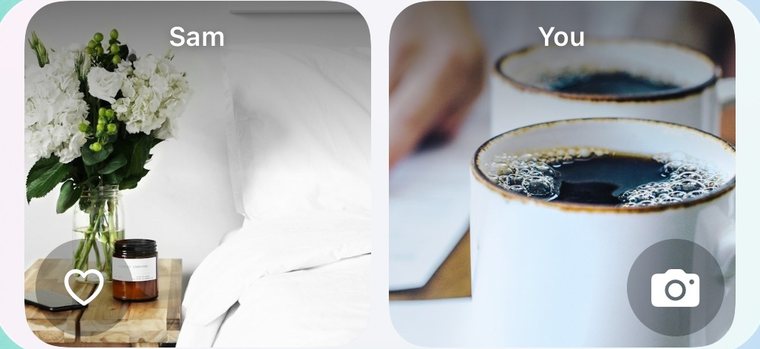
How it works
- Both of you install Nearlet and connect with an invitation link.
- Each of you adds the Photos for us widget to the Home Screen.
- Tap the camera on your side of the widget. Nearlet opens straight to the camera.
- Take the photo and tap Send.
- Your photo shows on your partner’s widget, and theirs shows on yours. Tap the heart to say you saw it.
Who can see the photos
Only the two of you. Photos are encrypted on your device before they sync.
Your partner’s photos do not appear on your Home Screen until you allow it: in Nearlet, open Settings, then Widgets, and switch on “Show partner photos on Home Screen”. It is off by default because anyone who sees your Home Screen can see those photos.
Where the photos go afterwards
The photos you send each other during a day are collected into one gallery for that day in Memories. The free version keeps 10 photos in a day’s gallery, and Premium keeps 20. You can keep sending after that; the widget still shows the latest photo.
Questions
Does the photo appear instantly?
Usually soon after it is sent, but not always instantly. iOS decides when a widget refreshes.
Can I send a photo from my library?
Yes. In the app you can choose a photo from your library as well as take a new one.