Guide
Routines you can tick off from your Home Screen
Nearlet’s Routines widget puts today’s routines on your iPhone Home Screen. Tap a circle and it is done. A routine can be yours alone or shared with your partner, and each one counts the days you have completed it.
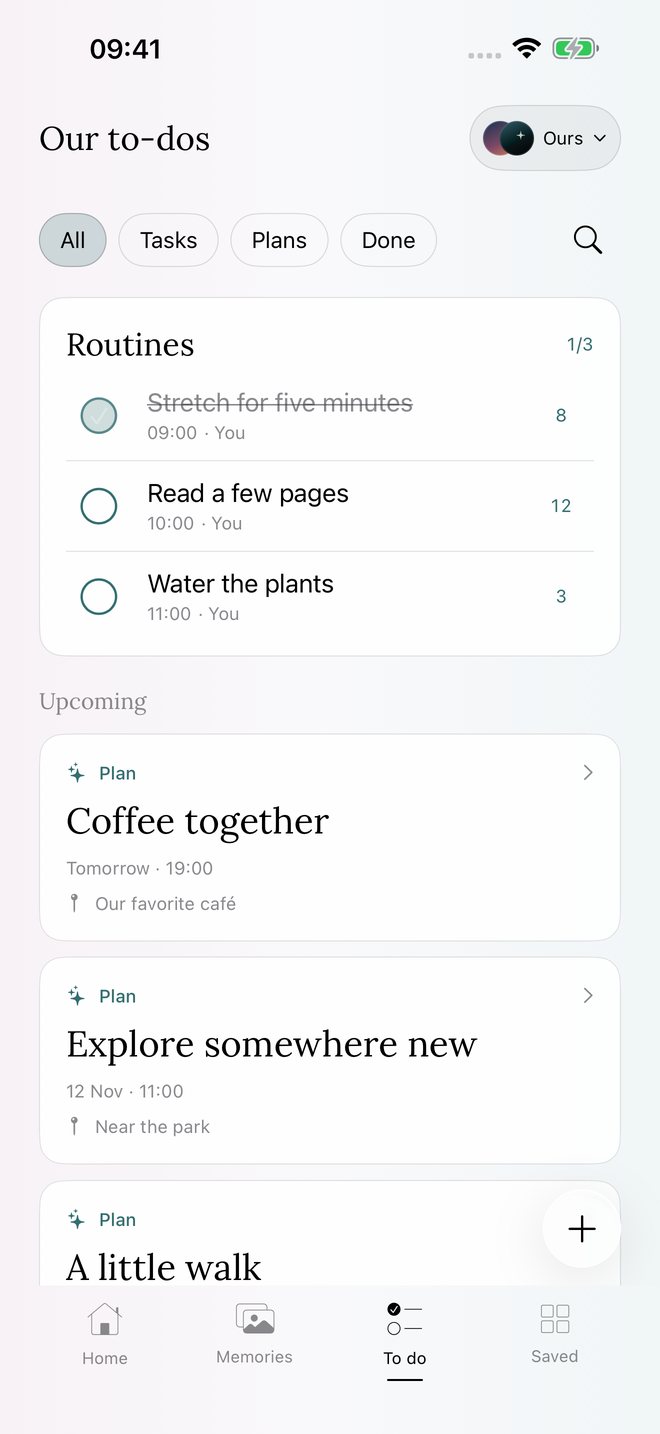
How it works
- In Nearlet, open To do and add a routine: a name, a time, how many times a day, and who it is for.
- Add the Routines widget to your Home Screen. It comes in medium and large sizes.
- Tap the circle on the widget when you have done it. If a routine is meant to be done more than once a day, each tap counts one and the last tap completes it.
- Tap a completed routine again to clear it.
What the number means
The number beside a routine is how many days you have completed it. Finish today’s target and it goes up by one. Clear it and it goes back. If you kept the habit before you started using Nearlet, you can correct the total in the routine’s details.
Yours, or shared
A routine can be for you, for your partner or for both of you. Shared routines appear for both partners. A routine you mark as only for you stays private.
Good to know
- Routines start fresh each day at midnight. The completed-day totals stay.
- Touch and hold a routine in the app to change the order. The widget follows it.
- You can set a reminder for a routine.
- Widgets show the last data the app saved, and iOS decides when they refresh. Your own taps show straight away.
Questions
Can I use routines without a partner?
Yes. Routines work in your own space.
Does my partner see when I tick a routine off?
For a shared routine, yes, once the app has synced. Their widget updates when iOS refreshes it.
Is the Routines widget free?
Yes.